Welcome to our Knowledge Base
Hours of Operation
- Go to the left-hand side and select “Hours Generator.”
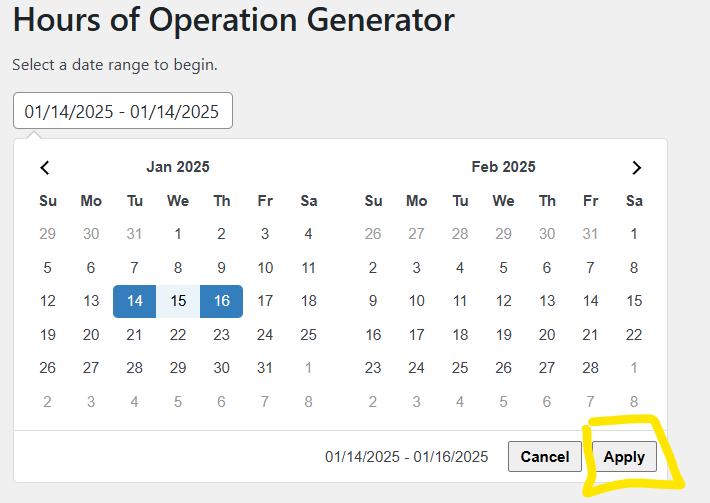
- Select the date range you want to generate and click “Apply.”
- Click on each date and update hours.
- Click “Generate” when finished.
New Options for Trail Center and Pump House Biergarten:
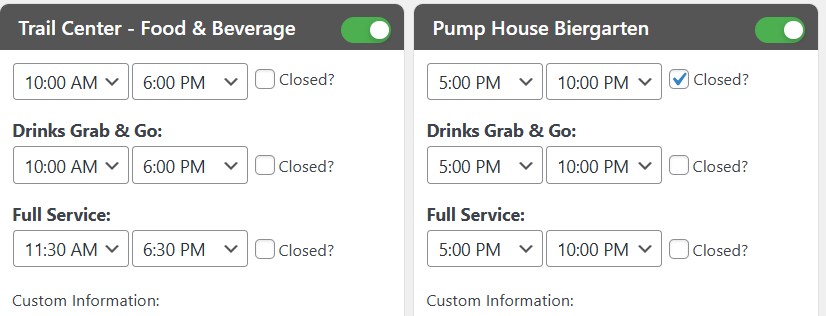
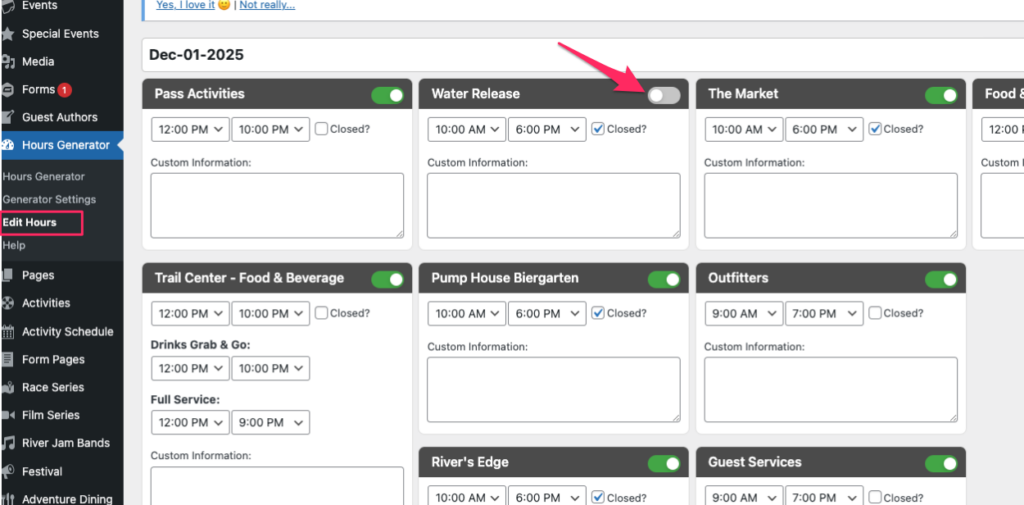
New options for winter (for the automatic items on the calendar, ex. Water Release) – toggle off so it won’t show. It will default to be on, so you need to toggle closed if you don’t want it to generate.
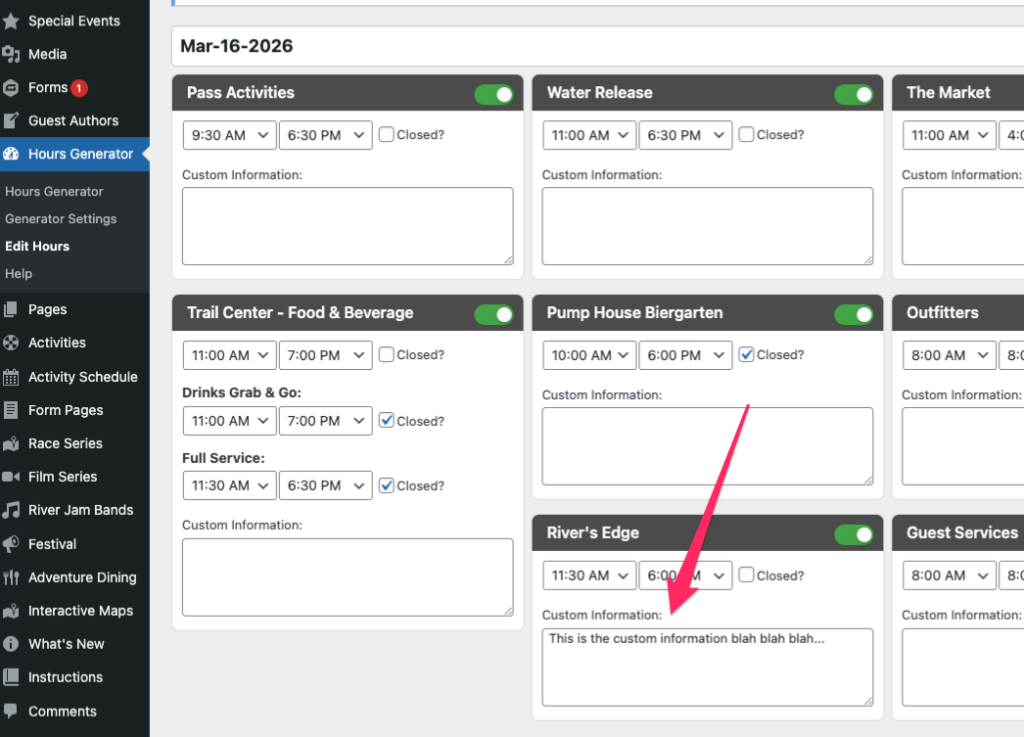
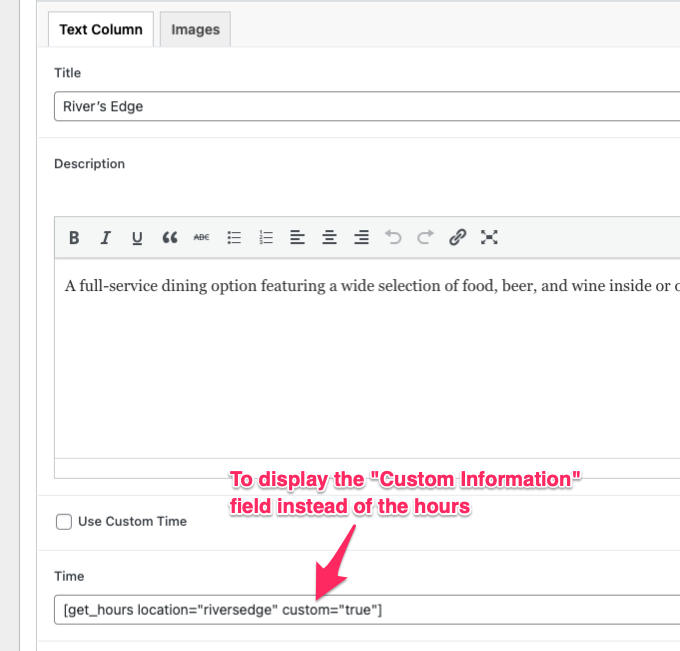
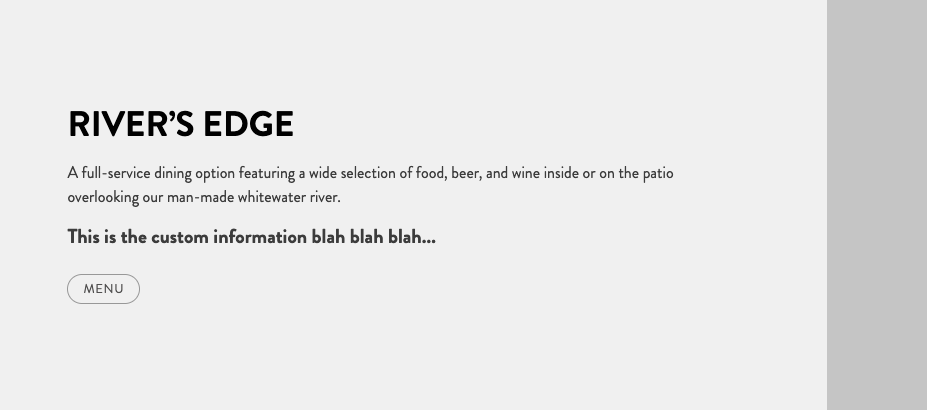
Custom Information for Food & Beverage:
How to update the generated hours:
Option 1: Override previous times (will update all of them):
- Go to “Edit Hours” tab
- Select the date(s) to be updated.
- Please note that once you selected the date(s), it will populate the hours generated previously.
Option 2: Selectively edit hours
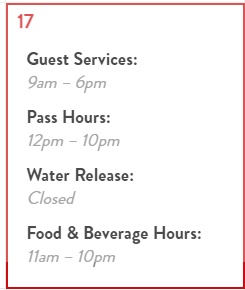
- To edit the 4 hours showing on the calendar, go to “Events” and find “Hours of Operation” and the date you want to edit. The 4 hours that show on calendar:
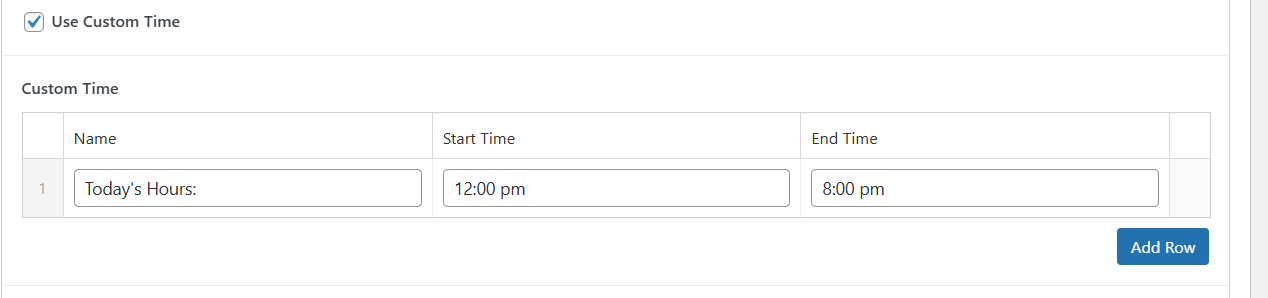
- To edit individual Food & Beverage hours once generated, go to “Pages” and “Food and Beverage” and select “Use Custom Time” and click “Add Row” and enter times.